

DAWNBLOOM Token 2.0.0 is available through the official Android download. This update makes everyday DAWNBLOOM services easier to reach: manage your account, protect sign-ins, visit Chasers Plaza and explore the Museum.
A calmer, clearer home screen
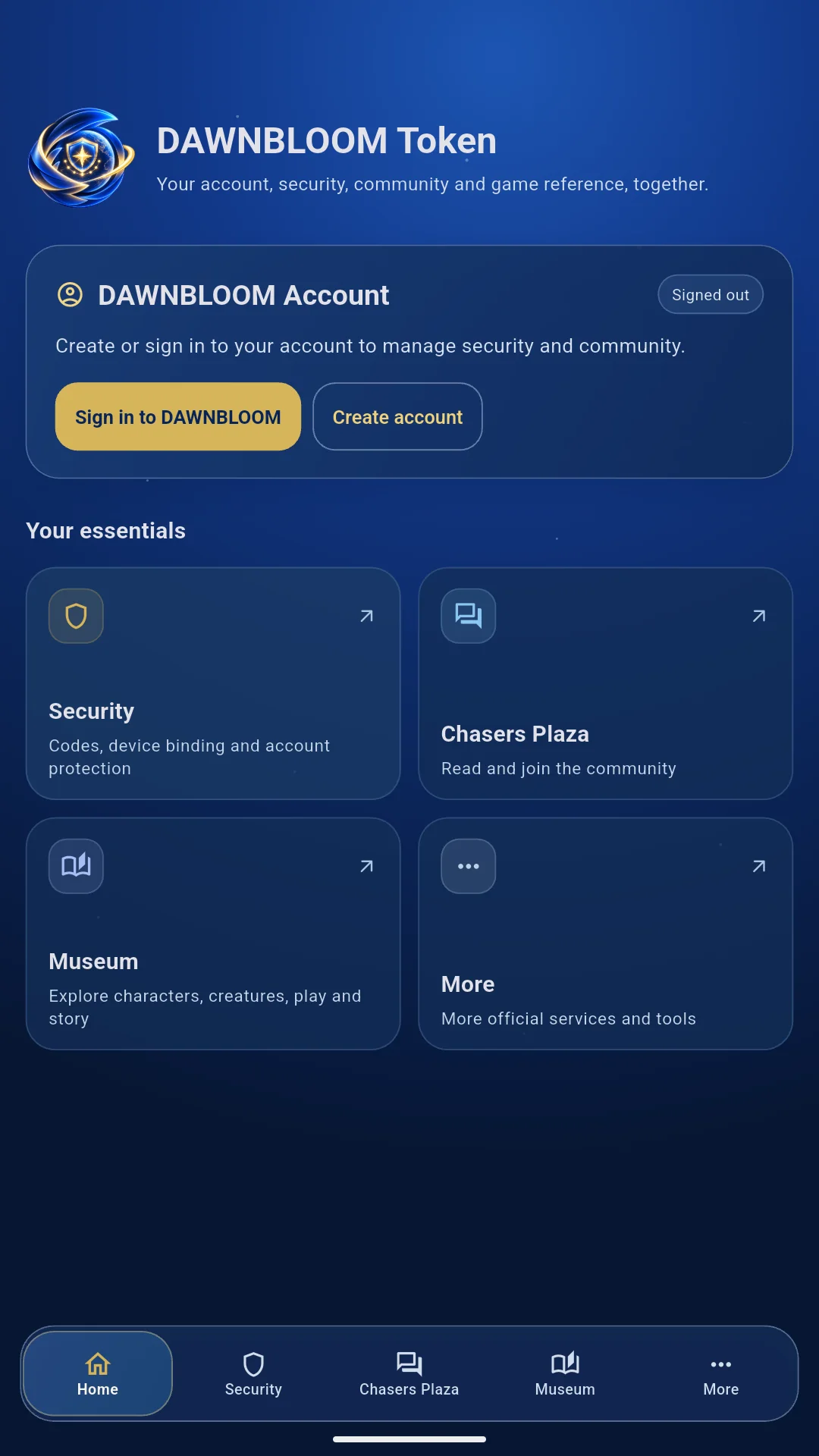
The blue gradient and blue-and-gold identity remain, with the brand icon placed directly on the background. An account card and a compact grid put sign-in, registration, security, community and reference within reach. Both phones and tablets use bottom navigation: Home, Security, Chasers Plaza, Museum and More.
The image above shows the actual English Android home screen, with its top edge and bottom navigation fully visible.
One DAWNBLOOM Account
Token shares DAWNBLOOM Account with the website, game and other DAWNBLOOM products. Sign in to an existing account or create one through the app's registration flow, then manage your profile and security information. Token does not create a separate account system.
Consistent codes for website sign-in
This update fixes compatibility between dynamic codes and the website's sign-in security check. After the device is fully bound, its 6-digit code refreshes every 60 seconds and can be generated offline. Keep your device clock accurate and confirm that binding is complete before using a code to sign in.
The 10-digit binding code identifies a device awaiting binding; it is different from the dynamic sign-in code. A verification code shown before binding is complete is for confirming device binding, not for signing in to an already protected account. For a new phone or binding problems, use official account and security support. Never share dynamic codes or the binding secret.
The full Plaza and Museum experience
Chasers Plaza and the Museum now open their official website sections through DAWNBLOOM Browser. If the browser is installed, the app can open it directly; otherwise, the lightweight in-app browser remains available. Posts, replies and reference details continue to use the official website's content.
These sections use a web browsing experience. Account and security functions remain at Token's core. News, support, legal documents and other occasional official services are available from More.
Simplified Chinese, English and Japanese
The app interface supports Simplified Chinese, English and Japanese, selectable in Settings. Phones and tablets share clear bottom navigation. Website sections open in the corresponding language; community posts remain in their authors' original language.
Downloads and platform availability
Android phone and tablet users can download the current official release from the Token product page, which includes version and file-verification information. Existing users should update through the same official entry point.
The Google Play release has been submitted for review. We will announce the official store link when available. The iPhone and iPad version is not yet publicly released; timing depends on Apple review. Interface previews do not mean an App Store download is available.
Security and privacy
Token has no app-owned advertising and does not build advertising profiles. Dynamic codes are generated on the device, and sensitive credentials use system-protected storage. Account operations and community services still connect to their corresponding official services. Use only the website and official stores explicitly linked from it.
Read the Token privacy notice or visit Support for account protection, binding and usage help.