


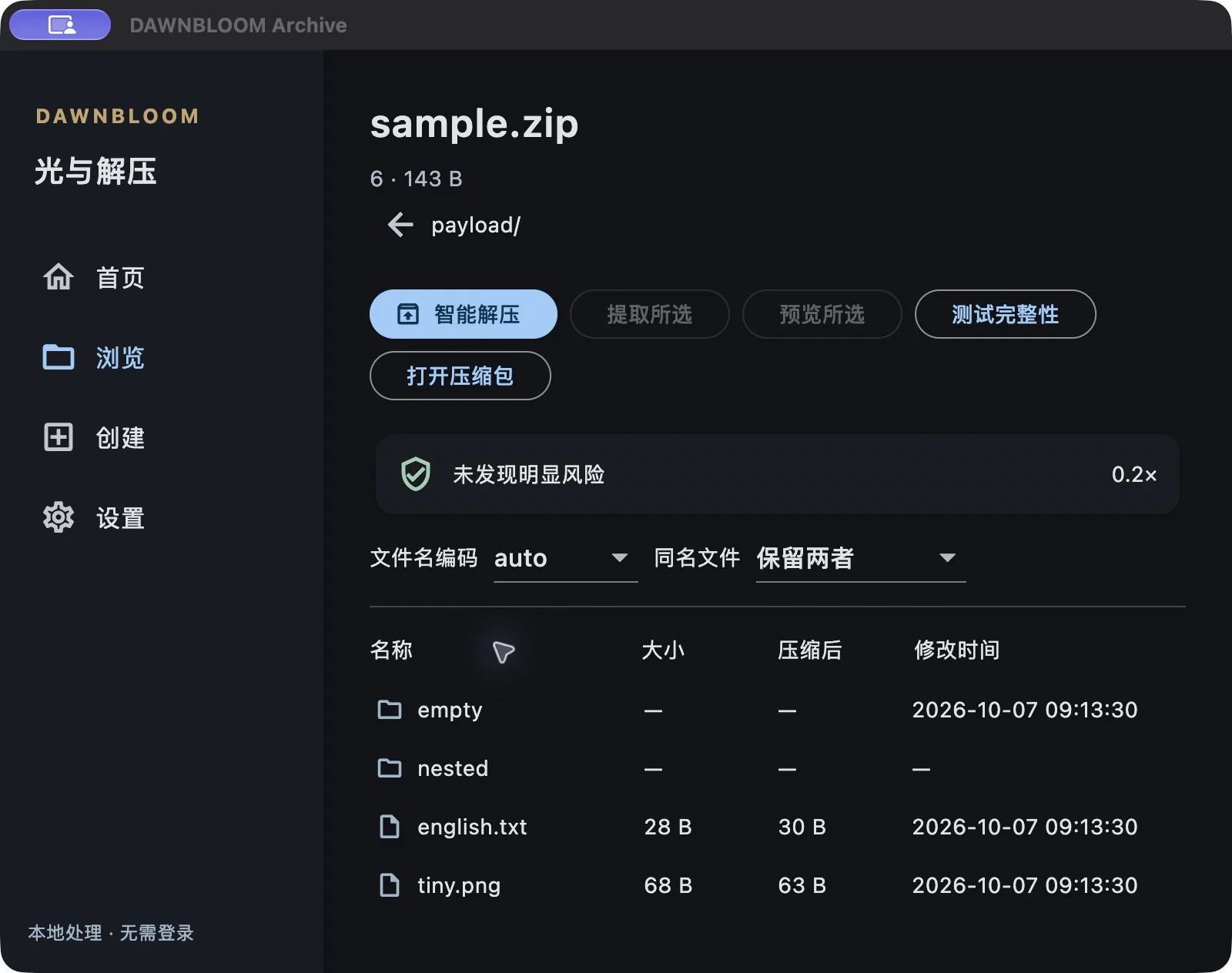
DAWNBLOOM Archive 1.0.0 is now available for Apple Silicon Mac and Windows x64. Open, browse, compress and extract archives on your own computer.
Browse first, extract what you need
Explore an archive like a folder, preview files and extract selected items. Smart extraction organizes the destination around the archive’s structure. For existing files, choose to replace, skip or keep both.
Improved RAR and filename compatibility
This release fixes an issue that prevented some RAR files from opening on macOS. RAR4, RAR5, single-volume and multipart browsing and extraction have been verified. Chinese and Japanese filenames and common encodings can be detected automatically, with manual encoding selection when needed. Missing volumes, incorrect passwords and damaged archives receive clear messages.
Compression, encryption and integrity checks
Create ZIP, 7z, TAR, TAR.GZ, TAR.XZ and TAR.ZST archives using Fastest, Balanced, Smallest or Long-term archive presets. Password-protected archives, ZIP AES-256 and 7z encryption, integrity checks and extraction-path protection are supported. RAR archives can be opened and extracted, but not created.
Eight interface languages
The app supports Simplified Chinese, Traditional Chinese, English, Japanese, Korean, French, Thai and German. The website and announcements remain available in Chinese, English and Japanese.
Local files, optional account
Core compression and extraction work without signing in. Your files, archive contents and local passwords are not uploaded to DAWNBLOOM servers. Optional DAWNBLOOM Account light sync includes only language, default archive format and compression preset—not files, paths, passwords or local history. DAWNBLOOM Download can also open a completed archive directly in DAWNBLOOM Archive.
Get version 1.0.0
Visit the Archive product page for macOS and Windows downloads, supported formats, file verification information and FAQs.
The current macOS package is not Apple Developer ID signed or notarized, so macOS may report an unverified developer. The Windows installer is unsigned and may show an “Unknown publisher” or SmartScreen prompt. Installation details are on the product page.
By downloading or using DAWNBLOOM Archive, you acknowledge that you have read and agree to the Archive Terms of Service.
The image shows the real 1.0.0 archive browser running on an Apple Silicon Mac, with the Chinese interface selected.