

DAWNBLOOM Mail 1.3.0 is now available from the official website for Android, Windows and macOS.
New mail checks when you open the app
Mail checks connected accounts on launch, when returning to the foreground, and when returning to the main mail screen. Each account refreshes independently. A connection problem in one account does not block the others or erase cached messages. Repeated navigation is debounced; manual refresh remains available. Message bodies and attachments are fetched on demand.
Familiar mail providers, separate accounts
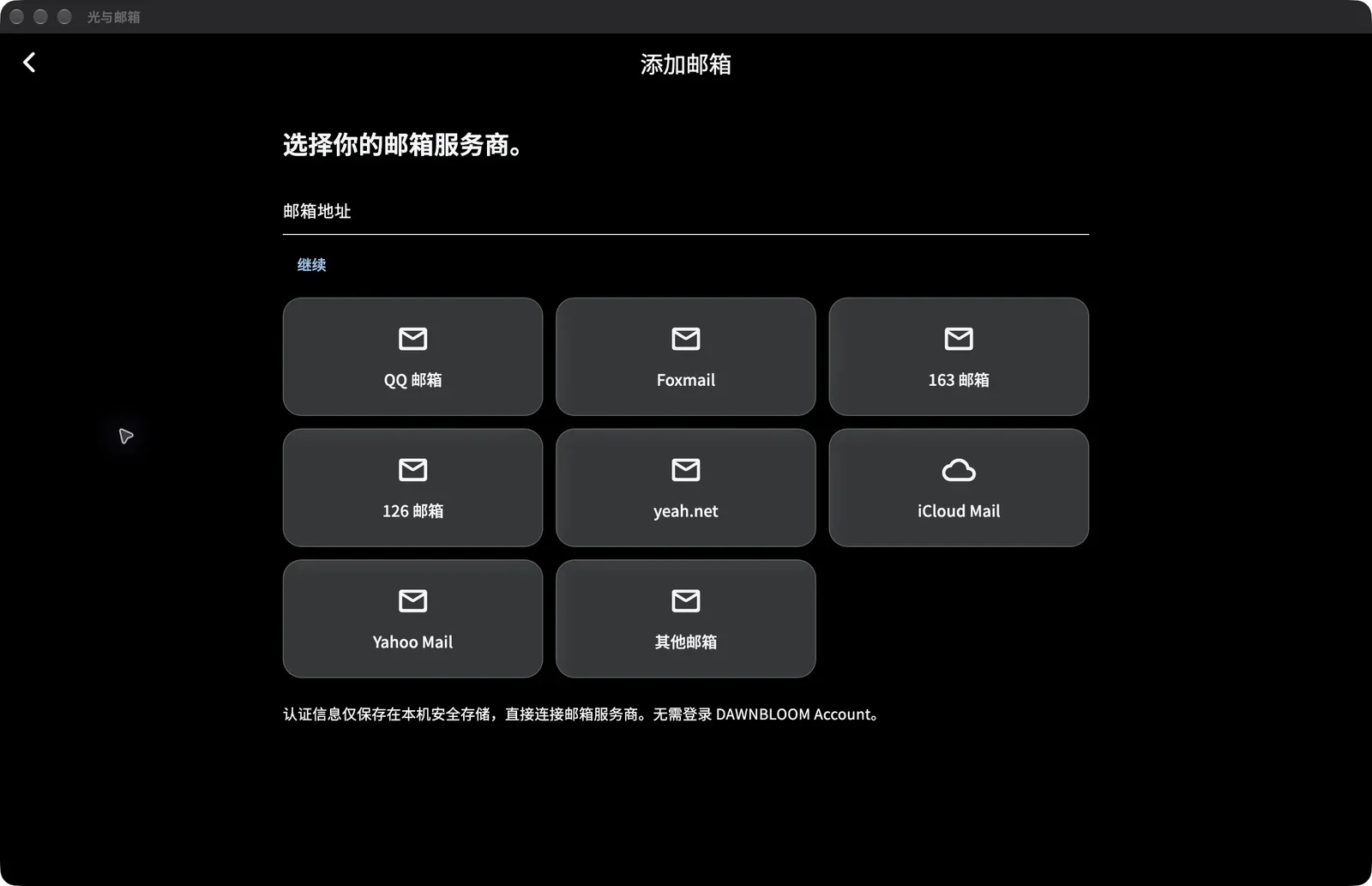
Provider presets include QQ, Foxmail, 163, 126, yeah.net, iCloud and Yahoo, alongside IMAP / SMTP settings for other services. Use a client authorization code or app password as required by your provider; the provider must enable the relevant services. This version does not offer official Google or Microsoft authorization sign-in.
A DAWNBLOOM Account is optional and separate from your mail-provider accounts. Adding an inbox, sending and reading mail do not require a DAWNBLOOM login.
Your preferences across screens
Adaptive layouts keep phones compact and let larger screens show accounts, the message list and reading pane together. Optional Light Sync restores themes, language, layout, fonts, signatures, account order, the default sending account and pinned folders. A new device restores settings and masked account hints; mail accounts must be authenticated again on that device. Signing out of DAWNBLOOM does not remove or sign out of your mail accounts.
Mail stays between your device and provider
The app connects directly to your chosen mail provider. Mail bodies, attachments, full indexes and provider passwords, authorization codes and OAuth tokens are not part of DAWNBLOOM Light Sync. DAWNBLOOM does not act as a mail relay or mail-body repository.
Download
Official downloads for version 1.3.0 are available for Android, Windows x64 and macOS. The UI supports Simplified Chinese, English and Japanese. Android updates use the same permanent release signing key and retain local data.
Windows may show an unknown publisher or SmartScreen warning. The macOS website release has no Developer ID signature or Apple notarization; see the download section for installation and first-opening instructions. iPhone and iPad release timing depends on Apple review. The macOS download will switch to the App Store when the store version becomes available.