


Credentials stay on-device
Provider passwords and sign-in tokens stay in secure storage on your device and are not uploaded to DAWNBLOOM.
 ⌕
⌕ 
DAWNBLOOM Mail
A clear space for reading, organizing multiple accounts and keeping your mail close. Thoughtful layouts for phones, tablets and desktops make everyday mail easier to read and manage.
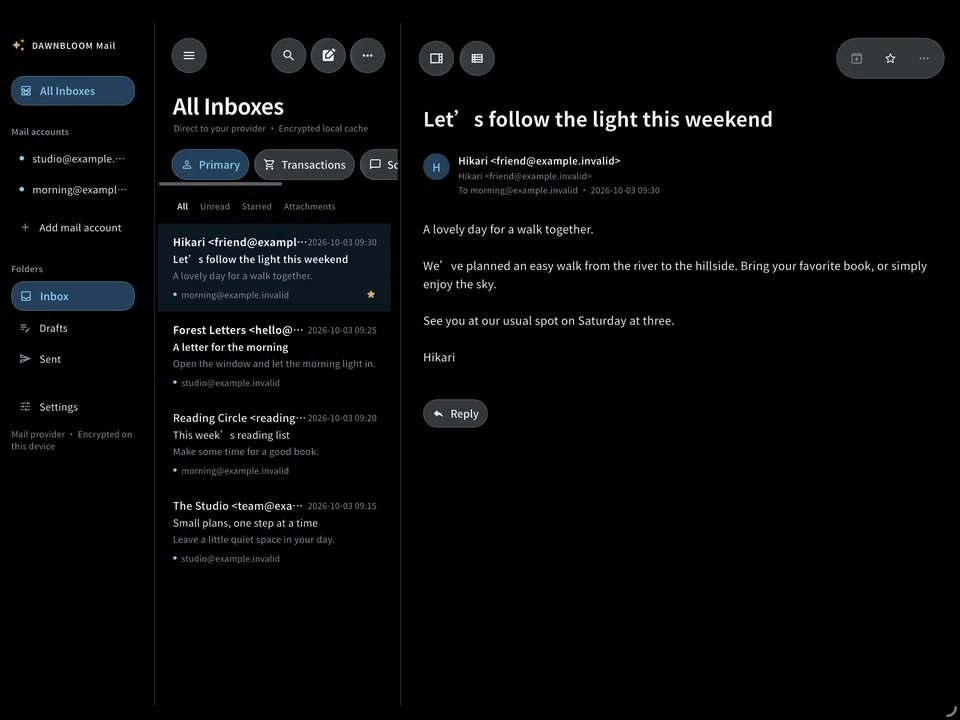
Messages and contacts shown are fictional.
01 / MAIL
Bring accounts together in a unified inbox, or focus on one mailbox. Subtle account labels keep each message in context. Additional provider connections will become available in future updates.
02 / MAIL
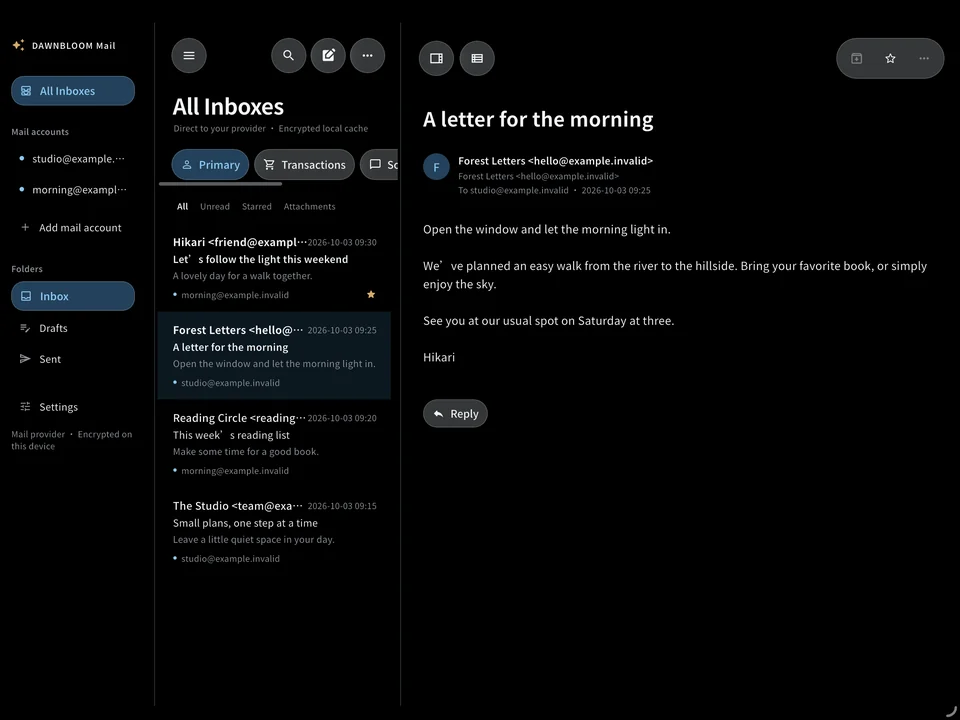
Keep accounts, messages and reading side by side. Narrower windows naturally switch to two panes or one. Adjustable desktop pane widths stay saved on your device.
03 / MAIL
Pure black and white spaces with restrained glass controls keep reading calm. Saved messages remain readable offline, and remote images do not load automatically.
04 / MAIL
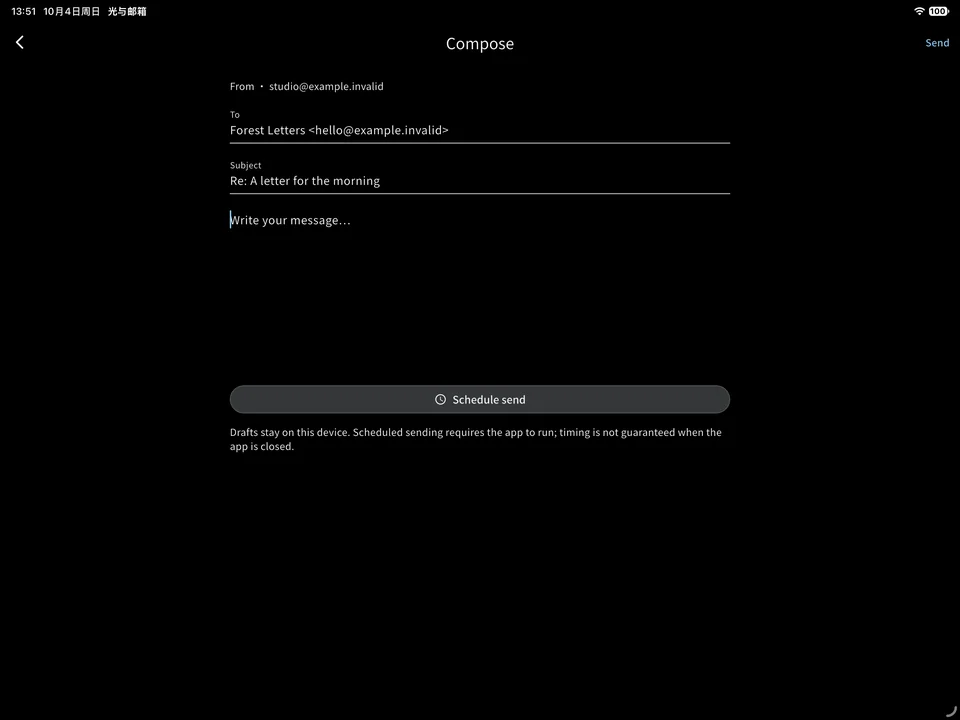
A focused editor for writing and replying, with encrypted drafts on your device. Scheduled sending needs the App to run; delivery may be delayed while it is closed.
05 / MAIL
Search saved messages on your device without sharing your query with DAWNBLOOM. Unread, starred and category controls help keep your inbox clear.
06 / DAWNBLOOM ACCOUNT
DAWNBLOOM sign-in is optional and separate from your mail-provider accounts. Personal Center provides access to your DAWNBLOOM account. Signing out does not disconnect or delete your mail accounts.
After signing in to DAWNBLOOM, you can optionally sync a small set of preferences, signature templates and mailbox display hints. Message bodies, attachments, provider passwords and sign-in tokens are not uploaded to DAWNBLOOM. Mail retrieval and synchronization remain between your device and mail provider.
07 / Privacy and security
DAWNBLOOM Mail is a client for your chosen mail provider. Messages, attachments and caches are not stored on DAWNBLOOM servers. Your device connects directly to the provider, whose own privacy policy applies.
Provider passwords and sign-in tokens stay in secure storage on your device and are not uploaded to DAWNBLOOM.
Mailboxes have separate data and keys, with encrypted message and attachment caches. Removing a mailbox clears its local account data.
No ads, cloud AI or recommendations based on your mail. Usage counts stay local, without message content, addresses, attachment names or search terms, and without DAWNBLOOM account linkage.
08 / PLATFORMS
Choose Simplified Chinese, English or Japanese in Settings, or follow your system language.
APPLE · 1.3.0
Builds uploaded; review information is being prepared. App Store downloads are not open yet.
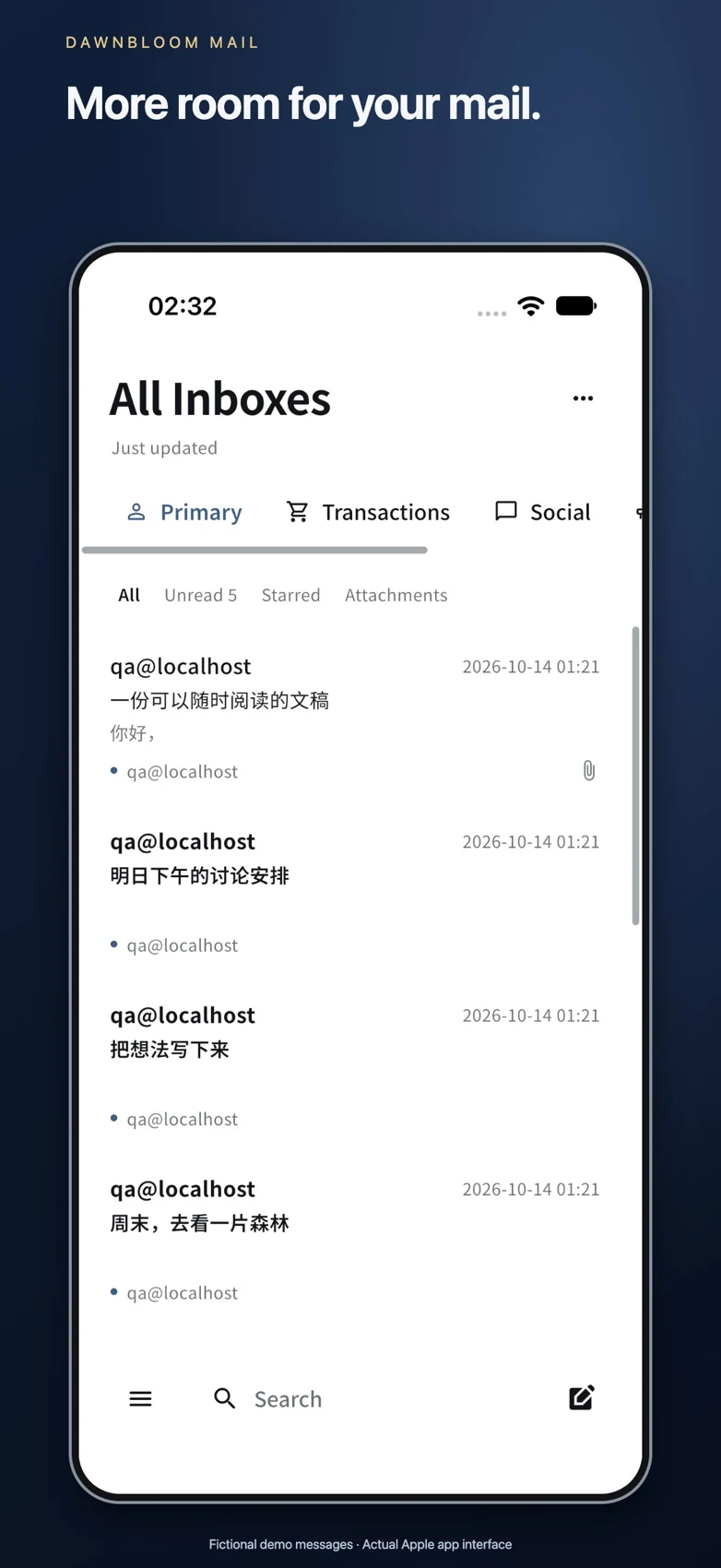
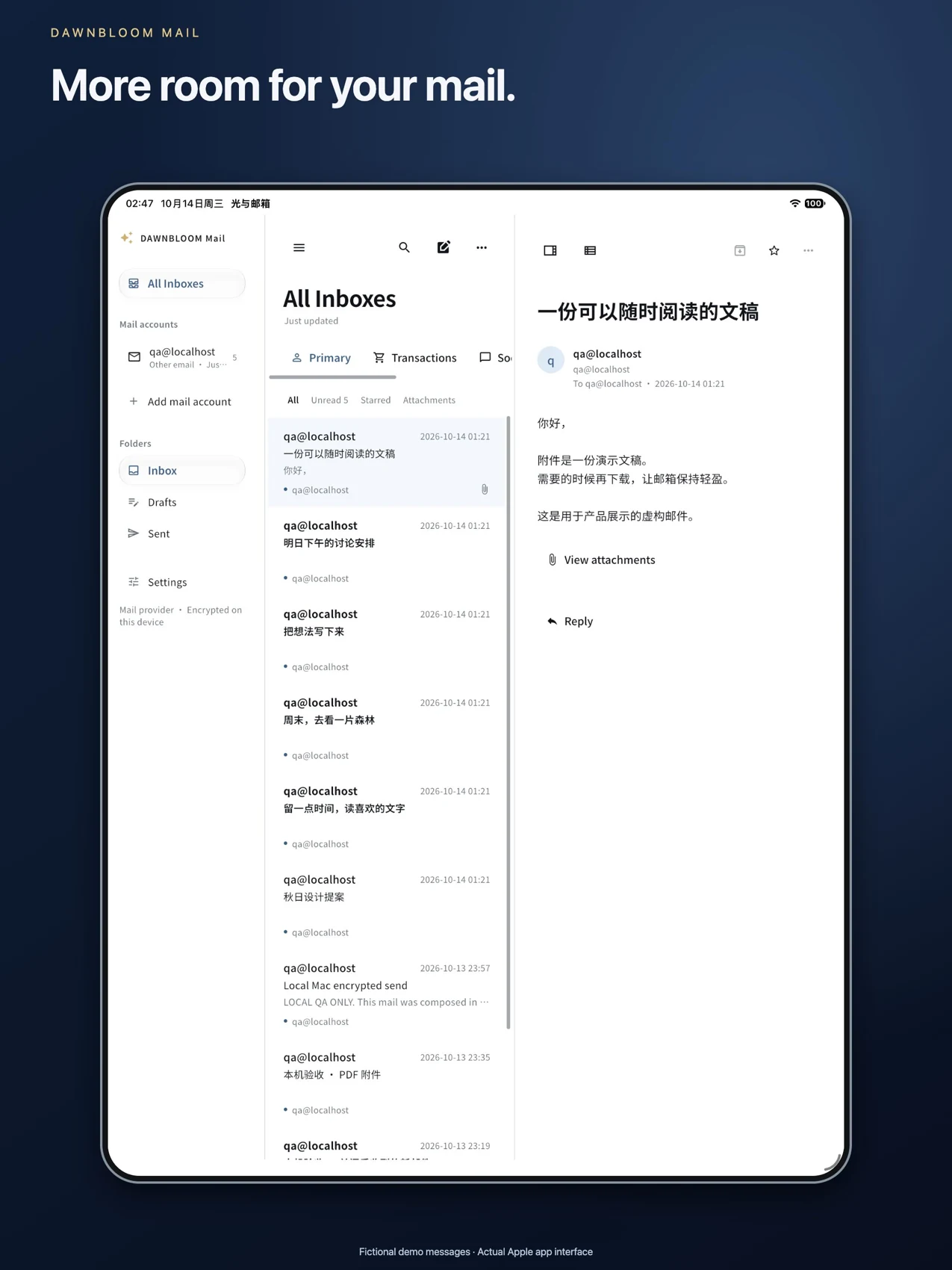
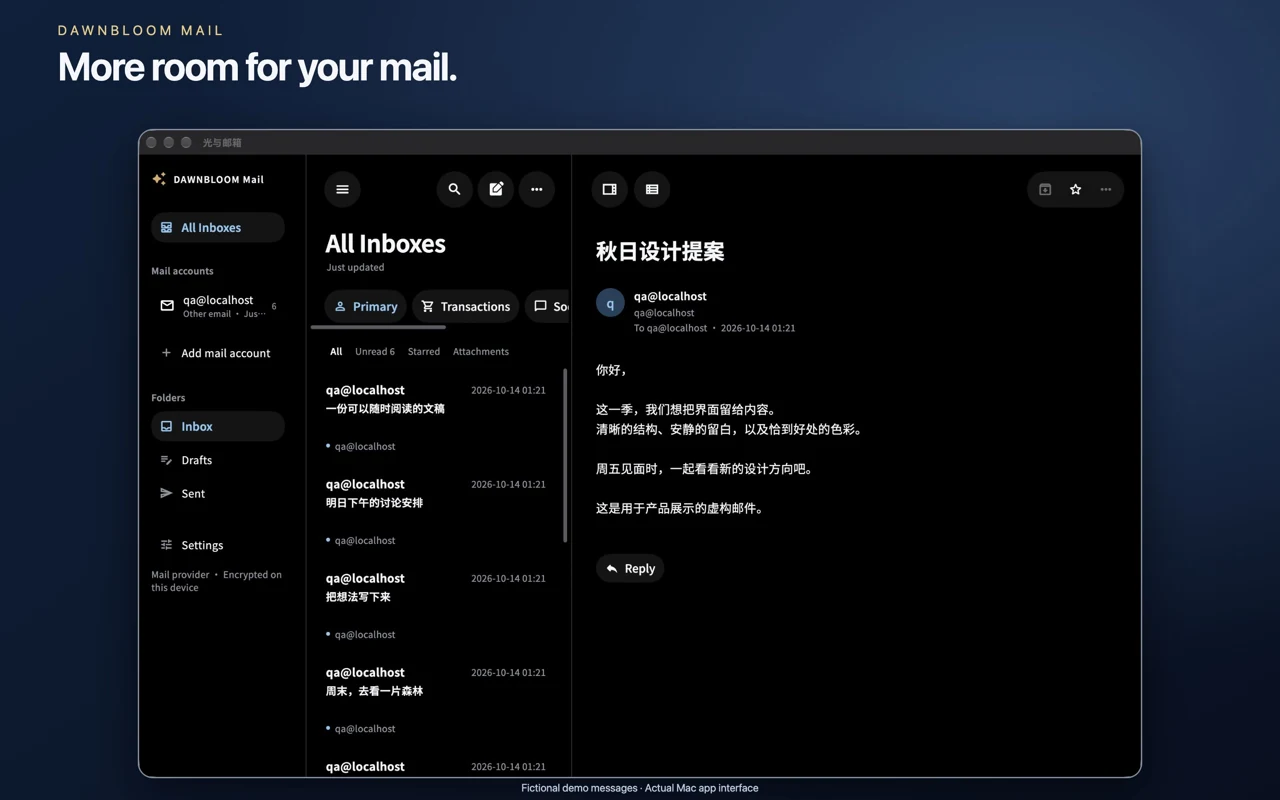
Fictional demo messages · Actual Apple app interface
10 / FAQ
The website release is currently free to download, with no purchase or subscription required.
No. Mail-provider accounts are independent of DAWNBLOOM identity. Core mail use does not require that sign-in.
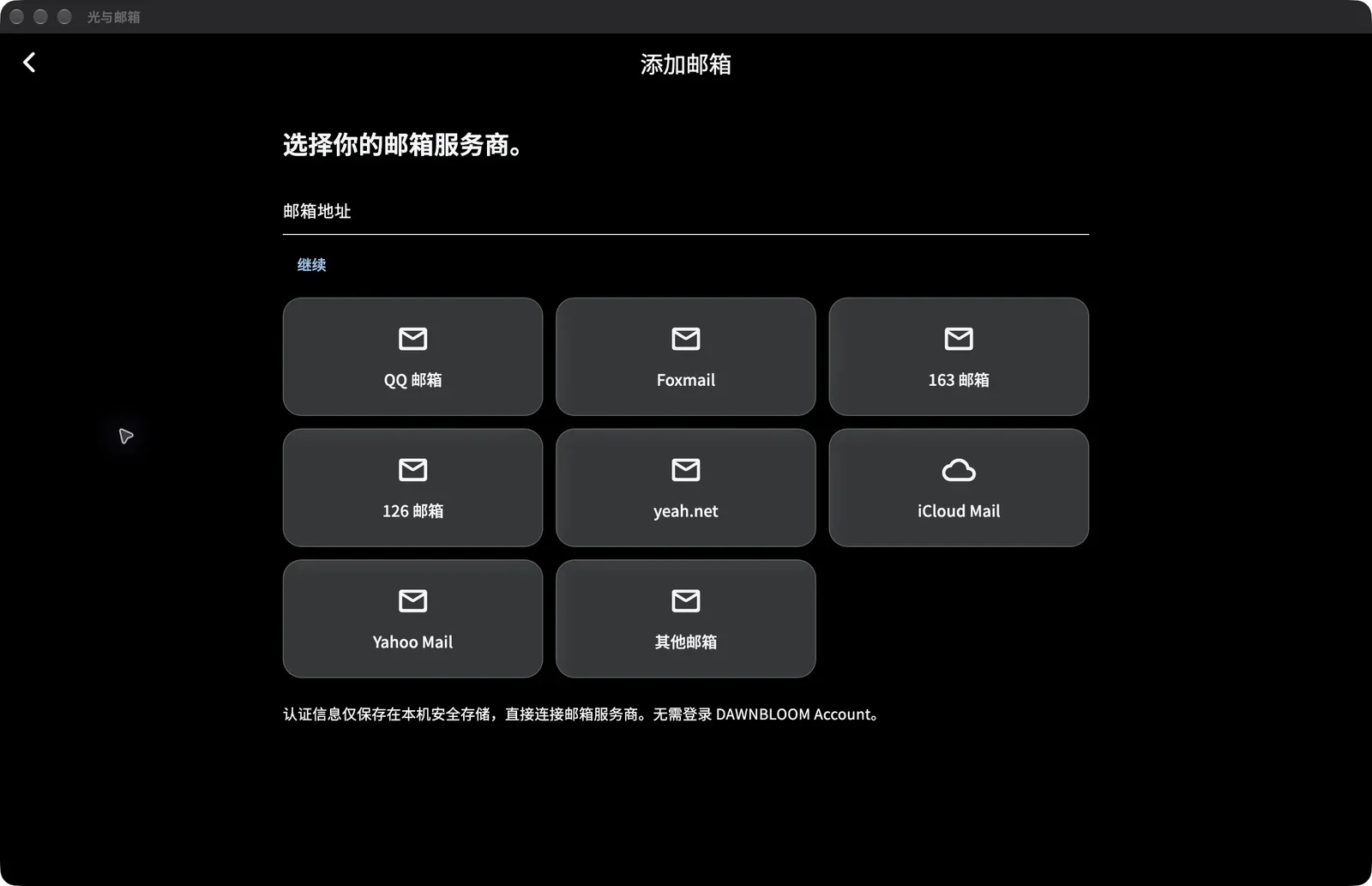
Choose QQ, Foxmail, 163, 126, yeah.net, iCloud or Yahoo and connect with a mail authorization code or app-specific password. For other providers, discover settings automatically or enter IMAP / SMTP settings yourself.
No. Bodies, attachments, MIME, caches, full indexes and provider credentials are excluded from DAWNBLOOM sync.
DAWNBLOOM servers do not proxy or read mail. The client displays and searches data on your device and communicates directly with your chosen provider.
In secure storage on your device, without upload to DAWNBLOOM.
No. DAWNBLOOM identity is separate from mail accounts. Signing out does not remove mail accounts, messages or provider sign-in details.
Choose Google Play or the official APK on the product page. Current Google Play version 0.1.0 · Website APK 1.3.0
windows 1.3.0 is available from the official site. Check its SHA-256.
Release timing depends on Apple review. No direct IPA download is offered.
macos 1.3.0 is available from the official site. Check its SHA-256.
Choose Simplified Chinese, English or Japanese in Settings, or follow your system language.
No. The app has no ads, profiling or AI mail features.
DAWNBLOOM MailRelease
The Android, Windows and macOS website releases are now updated, with automatic mail checks, familiar provider setup, adaptive layouts and optional Light Sync.
DAWNBLOOM MailProduct update
A look back at Light Sync, the default sending account and pinned folders, with official downloads for Android, Windows and macOS.